Download and Install Kirikiroid2,
download the game.
extract: user zarchive to extract
folder: use mega with MEGA link use app terabox app with TERABOX link
Open Kirikiroid2 and select data.xp3 or for older kirikiri vn data folder/name.exe to play the game
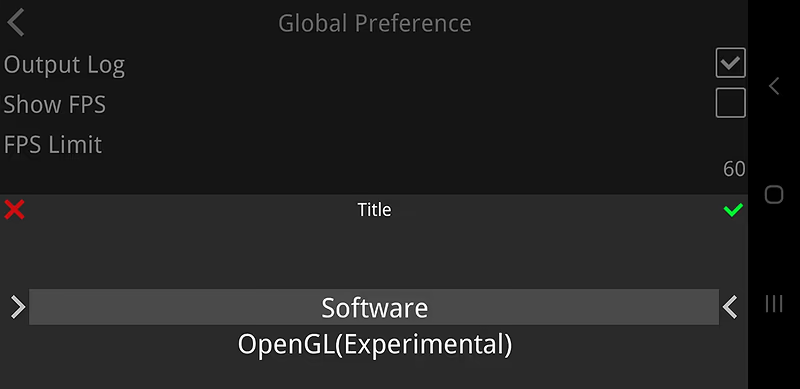
How to enable OpenGL?
-> Select Global preference or if you set Individual preference click the gear icon beside the game title
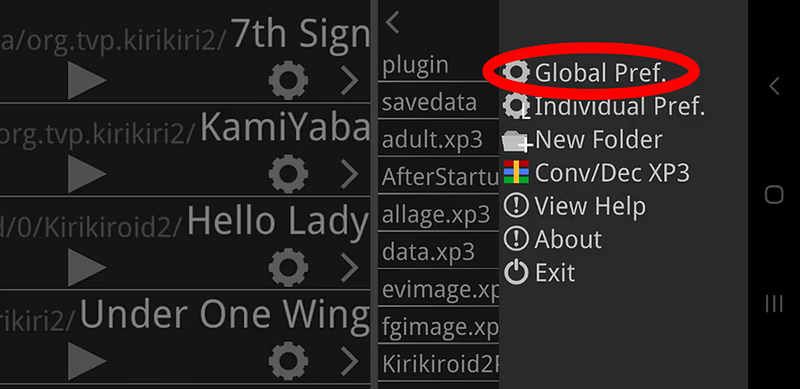
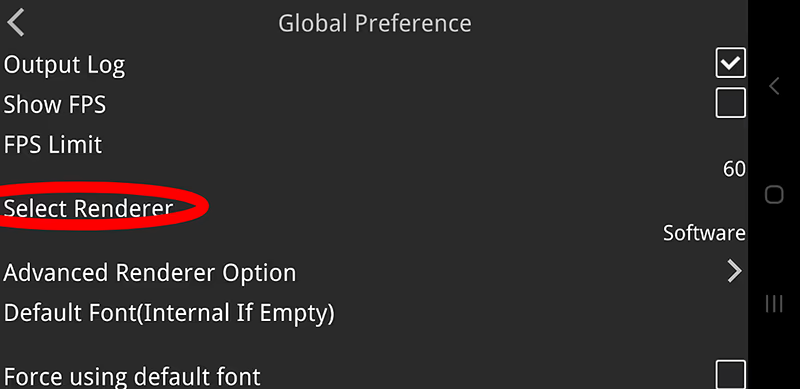
Then swipe up to select OpenGL
Game crash when I play
-> If you used OpenGL switch to Software or vice versa.
Game lags or has glitch/bug.
-> You need to use OpenGL it helps reducing lags on most phone and it also fixes glitches.
If still lags you can change max texture size to 2048.
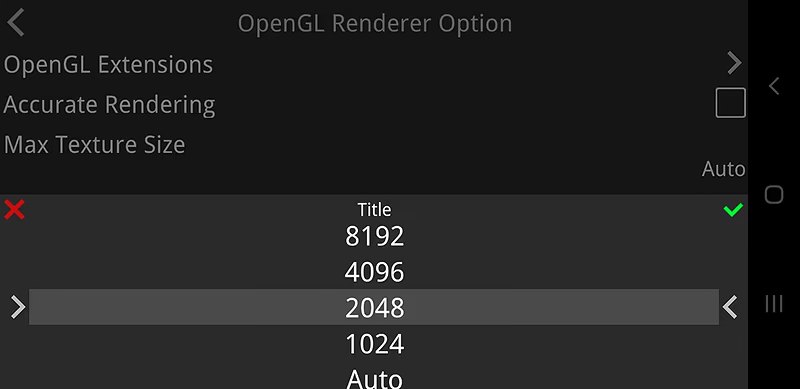
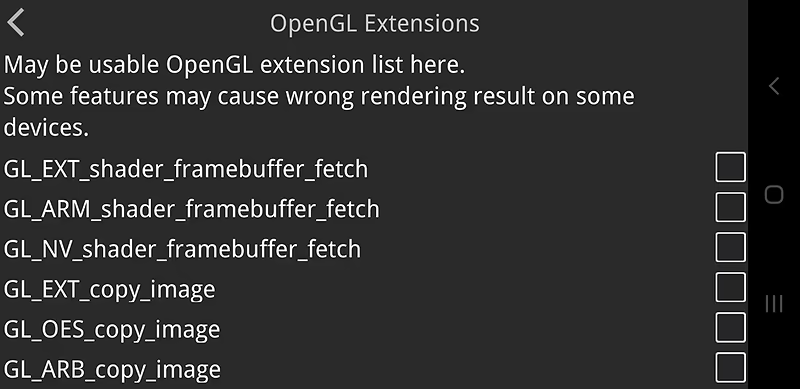
If some dialogues are missing or having a graphical glitch when using OpenGL you need to disable all OpenGL extensions.
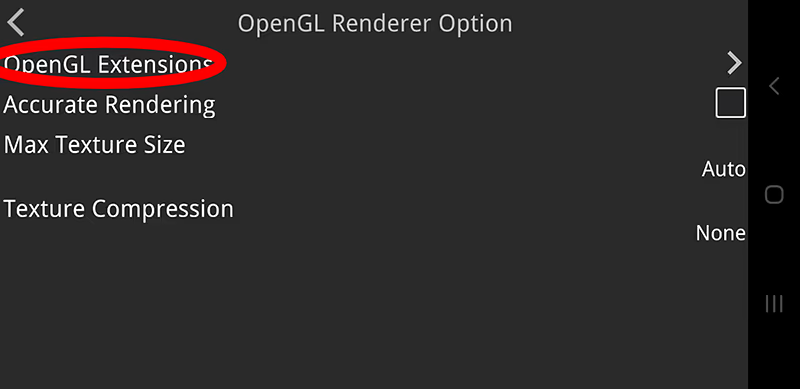
How to use external font?
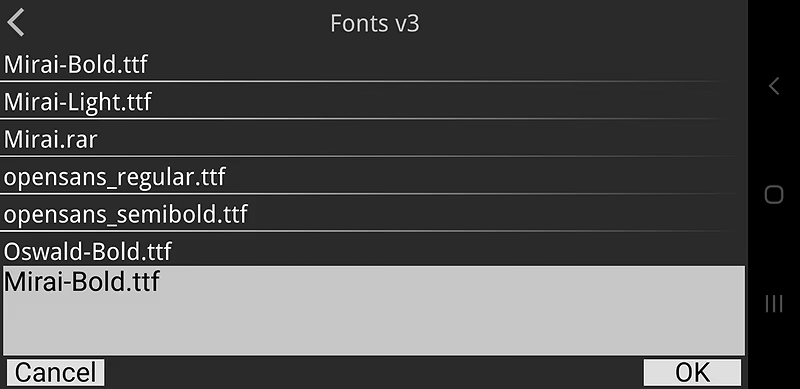
-> You can manually locate font (must be .ttf or .otf file) using kirikiroid2, just select default font. This also fixes text being cut off in the bottom.
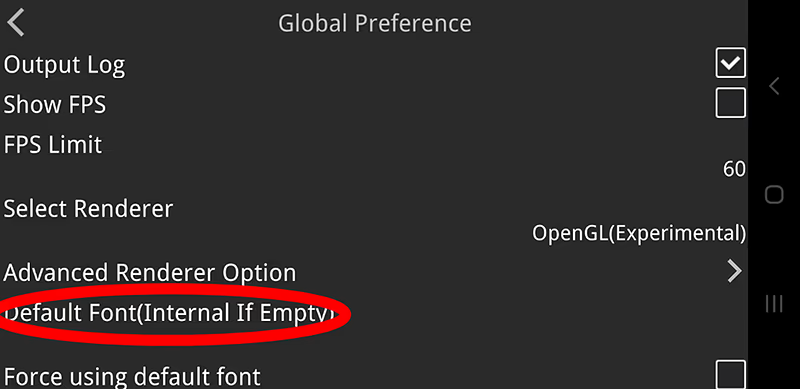
Then find your font, select it and click ok
Another method is renaming your font file into default and put it in your game folder like this
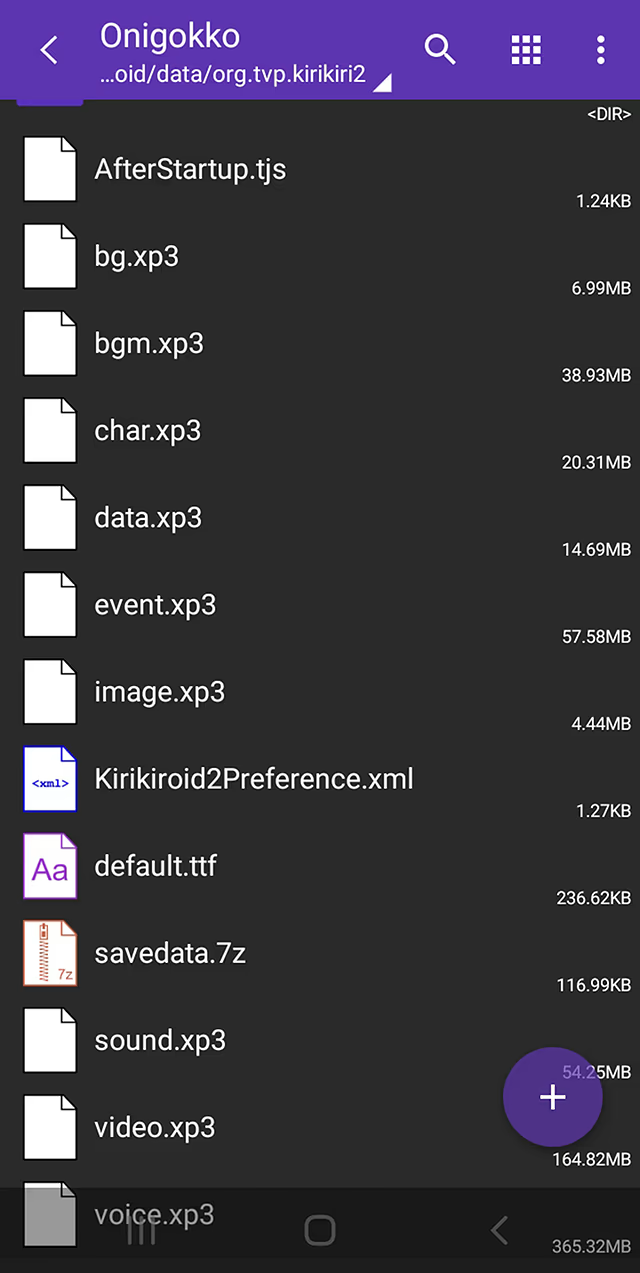
(Note: some game has pre rendered font enabled in that case using external font is disabled, we can enable it but needs to disable pre rendered font function)
Use SDcard to play game
-> Move your game folder in sdcard/Android/data/org.tvp.kirikiri2/
(Note: If it crashed when you start it you need to root your phone and use SE linux switcher and set SE linux to permissive. Use it if you’re a risk taker.)
No sound when using earphone/headphone
-> You need to plug your earphone/headphone first before starting any game.
Small screen
-> If you play a game and experienced a small screen like this
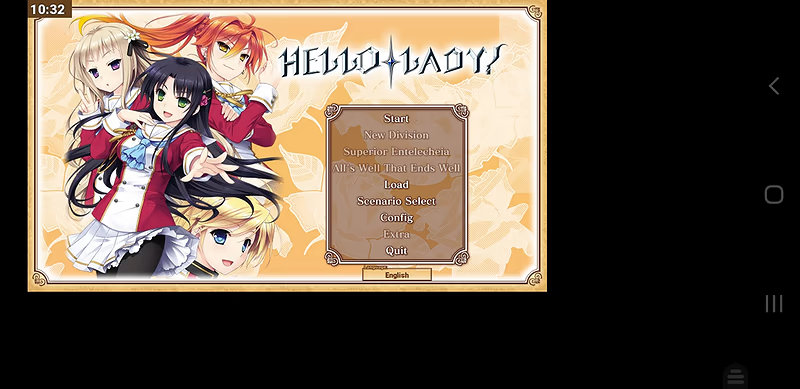
You need to restart the game to fix it
Blackscreen
-> If you play a game from the website and it displays only a blackscreen you need to redownload plugin folder (this only occurs on krkrz game)
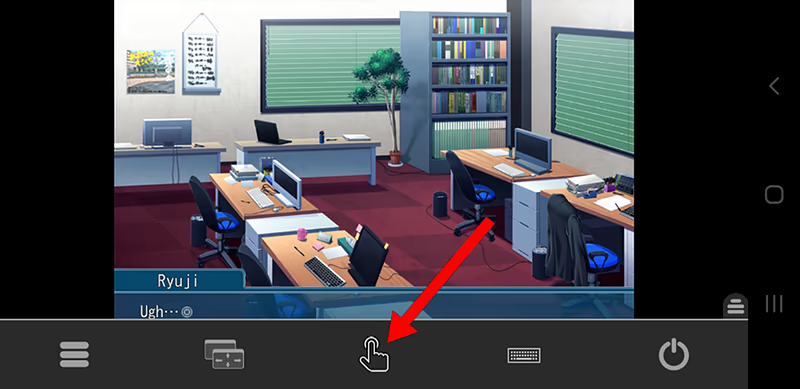
How to use virtual cursor?
-> Find the transparent logo in the bottom right of your phone screen
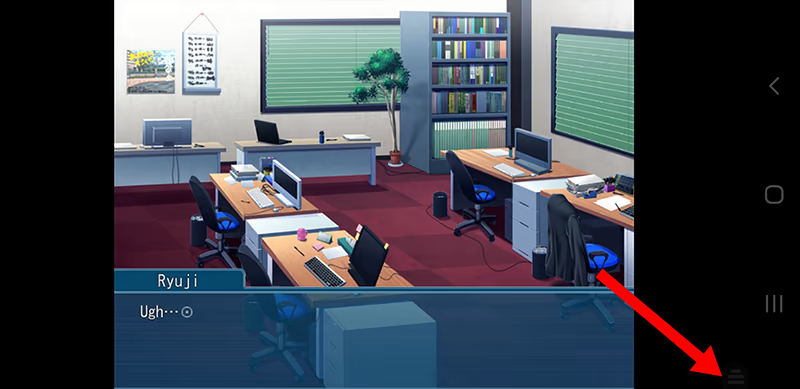
Swipe up then click this
How to use normal save if you can’t see save button?
-> Method 1: Some game system ui is hidden, using kirikiroid2 virtual cursor move it in your phones top/bottom screen
-> Method 2: Using two finger tap to see hidden system ui
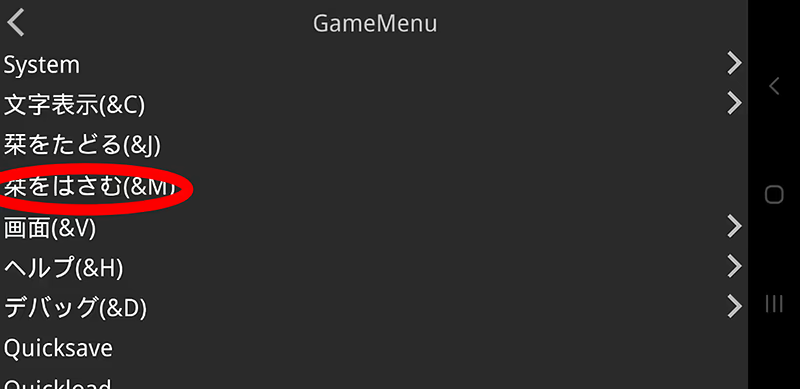
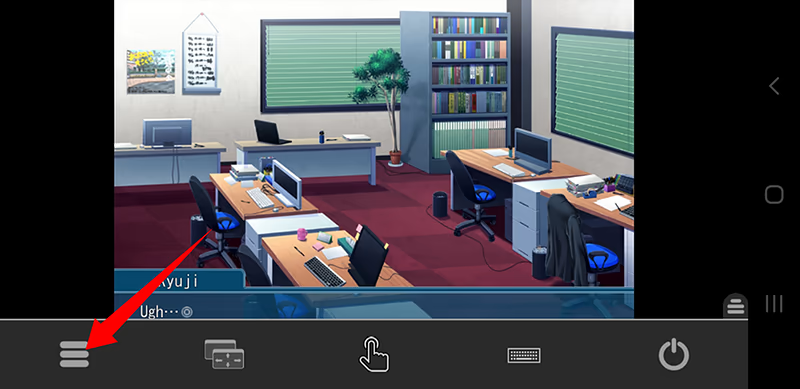
-> Method 3: Using game menu, find the transparent logo in the bottom right of your phone screen
Swipe up then click this
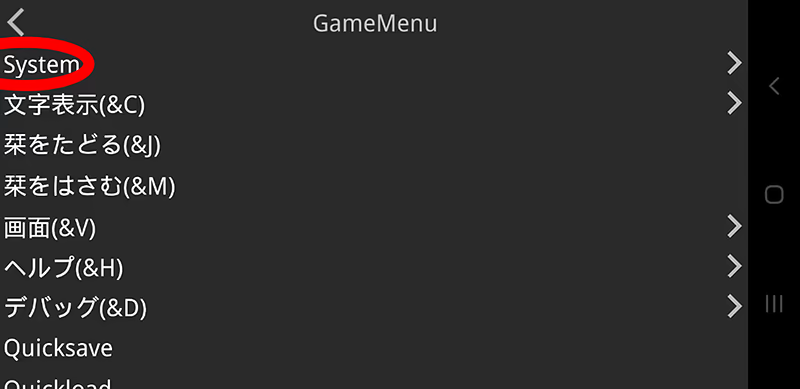
For Appetite game click system (if the game is Japanese this will be in Japanese language)
Then you’ll find it there (if the game is Japanese this will be in Japanese language)
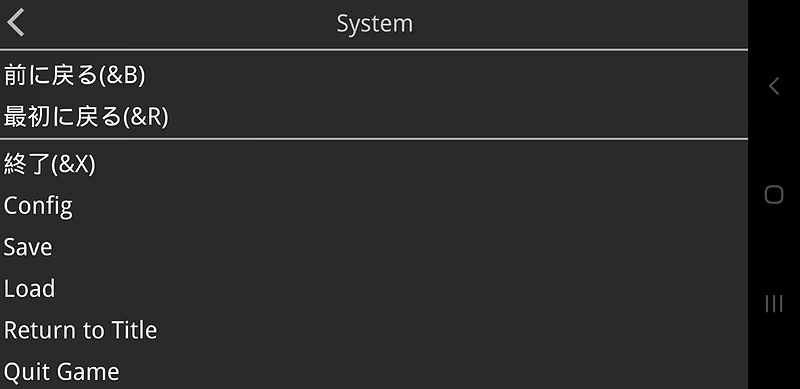
For other game &M is the save